





Now in Beta

Your Charts. Your Edge. All in One Place.

Stop losing insights in scattered screenshots. EdgeBook is the chart-first trading journal that keeps your images, tags, trades, and patterns in one flow so you actually review them.

Get Started See how it works

"If you want to master a setup, you'll need to find hundreds, if not thousands, of charts with that setup and study them."

Kristjan Qullamaggie Kristjan Qullamaggie · Turned $9K → $100M
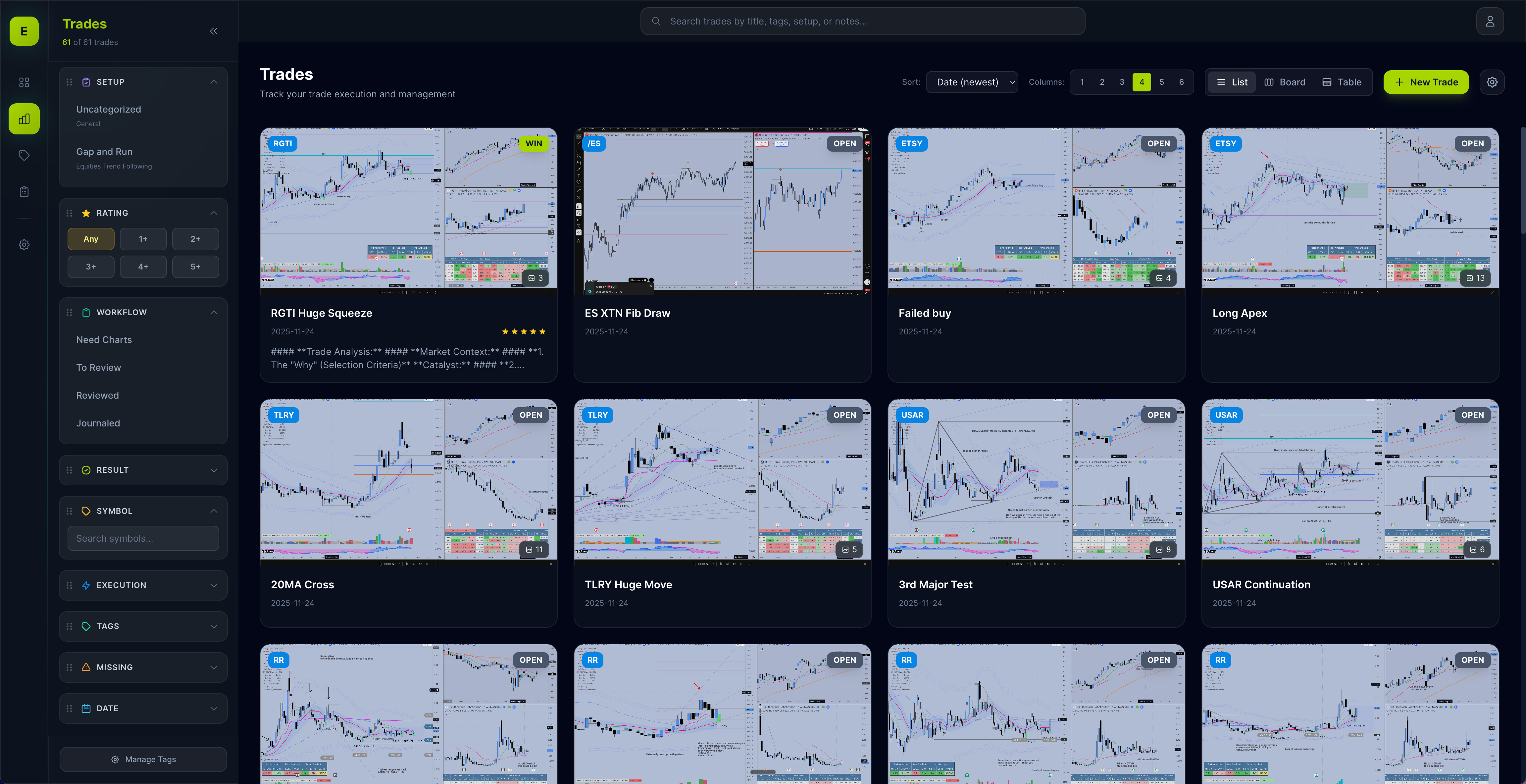
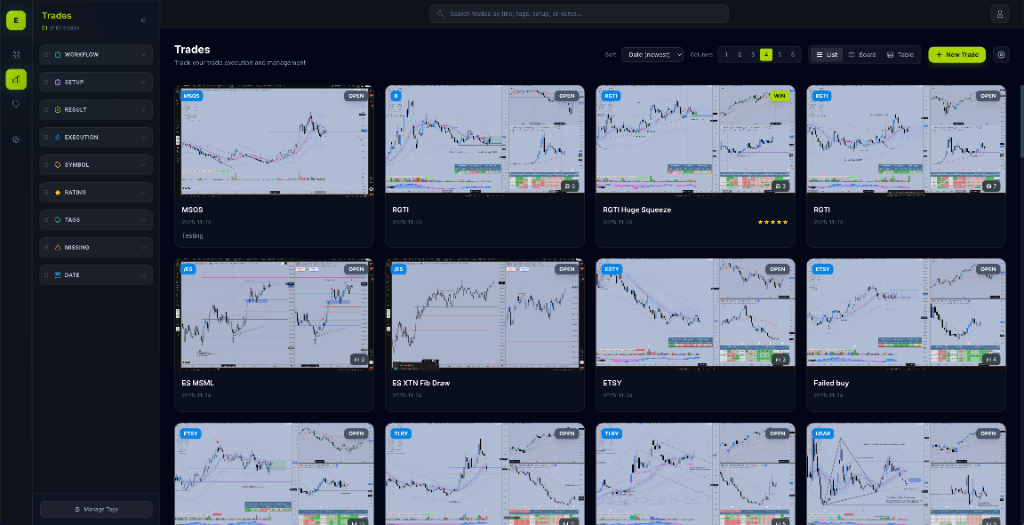
EdgeBook App Interface
Used by traders from

Chart Screenshots Everywhere?

Every trader knows how difficult it is to build, maintain, and review their chart library. We make it as easy as possible to build your library and review flow.

Screenshots everywhere

Charts scattered across folders, desktops, and cloud drives. Good luck finding that perfect setup you saved 3 months ago.

One searchable chart library

All your charts in one place. Tag, filter, and search by tags, symbol, strategy, setup, result, and more. Find any setup in seconds, not hours.

No structured review process

You know you should review your trades, but spreadsheets are tedious and you never stick with it.

Build your own review flow

Review trades with your actual charts. Rate, tag, annotate, and share with friends and mentors.

Guessing your edge

You take trades based on feelings, not data. You don't know if your strategy actually has a positive expectancy.

Strategies & setups database

Save your playbook with entry rules and examples, tag trades to each setup, and see which strategies are actually working.

From scattered screenshots to your own personal chart library instantly

Start in 4 simple steps

1

Upload your charts

Drag and drop screenshots from TradingView, your broker, or anywhere. We organize them automatically.

2

Take notes & tag

Journal your thoughts, document your process, and capture what worked or didn't. Add tags and mark key levels directly on your charts.

3

Review & improve

Search your history, spot patterns, and track what's working. Build your edge with data, not guesswork.

4

Share

Get feedback from mentors, friends, or followers with instant shareable links. Let others comment and review your trades to accelerate your growth.

The edge is in the review.

Top traders know that the real work happens after the market closes. Here's what they have to say.

"If you want to master [a setup], you'll need to find hundreds, if not thousands, of charts with that setup and study them."

Kristjan Qullamaggie
Equities Swing Trader
Turned $9,000 into $100,000,000

“Show me a trader with good records, and I’ll show you a good trader. Show me a trader with poor records, and I’ll show you a poor trader.”

Alexander Elder
Alexander Elder
Professional Trader & Author

“You cannot take yourself seriously as a trader if you do not journal. To me, this would be like a football player not lifting weights.”

Mike Bellafiore
Mike Bellafiore
Co-founder, SMB Capital

"If you are not journaling all of your trades and breaking them down, you have no chance of becoming truly great. It's as simple as that."

Tom Dante
Tom Dante
Veteran Professional Proprietary Trader

"The discipline does not come from the journaling. The journaling IS the discipline."

Kristjan Qullamaggie
Equities Swing Trader
Turned $9,000 into $100,000,000

“Your goal should be to replicate successful trading patterns, not simply analyze problematic ones.”

Brett Steenbarger
Brett Steenbarger
Trading Psychologist

Packed With Premium Features

You'll always have the most accurate information you need to make confident and smart trading decisions.

📸

Screenshot Journaling

Drag and drop your TradingView charts. Keep all your screenshots organized and searchable.

📚

Pattern Library

Build your personal playbook of setups. Tag and categorize patterns that work for you.

🏷️

Trade Tagging

Multi-dimensional tagging system. Filter by setup, session, symbol, and custom tags.

🔍

Advanced Filtering

Find exactly what you're looking for. Search across all trades, patterns, and notes instantly.

✏️

Chart Annotations

Mark up your charts directly in the app. Add notes, highlights, and insights.

🔄

Review Workflow

Structured review process. Track what you've reviewed and what needs attention.

💾

Saved Views

Save custom filter combinations and layouts. Instantly access your most-used views with one click.

🎯

Strategies & Setups

Organize trades by strategy and setup. Track which approaches are working best for you.

📤

Sharing

Export your data anytime. Share insights with your team or trading community.

Built by a trader who was tired of losing the signal.

Thirteen years of taking before/after screenshots, buried in folders and drives. The patterns were there—I just couldn't reliably find them. EdgeBook exists so every trader can surface their edge without digging through a messy bucket of files.

Why I built this

After more than a decade trading, my screenshots kept vanishing into unlabeled folders and random Google Drive buckets. When I wanted to revisit a setup, I spent more time hunting than learning. I built EdgeBook to make chart journaling fast, structured, and actually reviewable for all of us.

Inspired by journal-first traders

A big push came from hearing trader Christian Coolamage talk about building a journal for himself. It reinforced what every pro says: the discipline of capturing and reviewing trades is the edge. This app is my answer to making that discipline effortless.

Everything you need to
build your edge

Powerful tools designed for how traders actually work.

Fast Filters

Filter by session, tags, status, symbol, and results. Switch between grid and table to find any chart fast.

Structured Tagging

Create tag groups for sessions, setups, and mistakes. Toggle tags to slice your journal instantly.

Trade Tracking

Log trades with symbols, statuses, execution types, ratings, notes, and multiple screenshots so you see what’s working.

Pattern Library

Save pattern examples with images and notes. Link them back to trades to build your playbook.

Chart Annotations

Annotate screenshots directly in the app with arrows, text, and highlights—no bouncing to another tool.

Custom Workflows

Define your own statuses, execution types, symbols, and strategies so the journal matches how you trade.

Loved by traders

"Finally, a journal I actually use. Uploading screenshots and filtering by tags means I can pull any past trade in seconds."

A
Ahren
Futures Trader

"The pattern library is brilliant. I've linked all my setups to actual trade results. Now I know which patterns really work for me."

J
Jack
Swing Trader

"Clean UI, fast upload, and the tagging system is super intuitive. This is what I wished every other trading journal was."

A
Alex
Day Trader

Choose Your Plan

Unlock your full trading potential

Monthly

Flexible monthly billing

$ 49 /month
  • All Pro features
  • Cancel anytime
  • Priority support
Get Started

Enterprise

For trading teams & firms

Custom
  • Everything in Pro
  • Team collaboration
  • Custom integrations
  • Dedicated support
  • SLA guarantee
Contact Sales

All Pro Plans Include

Unlimited trade journaling
Pattern recognition library
Advanced analytics
Strategy tracking
Trade sharing
Priority support